
After some digging, I found you may open your courses once you complete them fully without allowing students to submit work. Please keep in mind if you publish the course early, each of the modules must be locked, as students CANNOT complete work within the course prior to the start of the semester (this includes assignments in Sherpath and adaptive quizzing), per federal financial aid law.
By publishing the courses early, students are able to view the syllabus, and faculty may make announcements to students in preparation for the semester (as long as the students are in the course).
- Enter the course
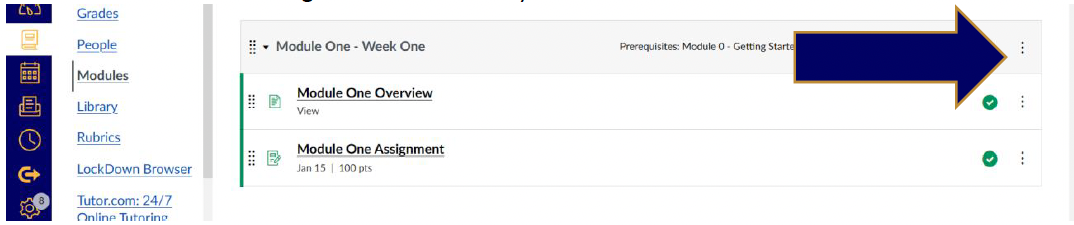
- Click modules on the left-hand side

- Click The three dots on the right-hand side that says
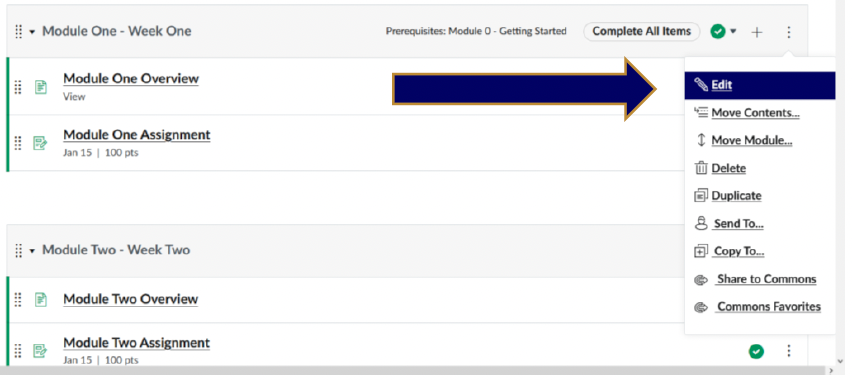
- Click edit
- Click lock until and put the day or two before the semester officially starts.
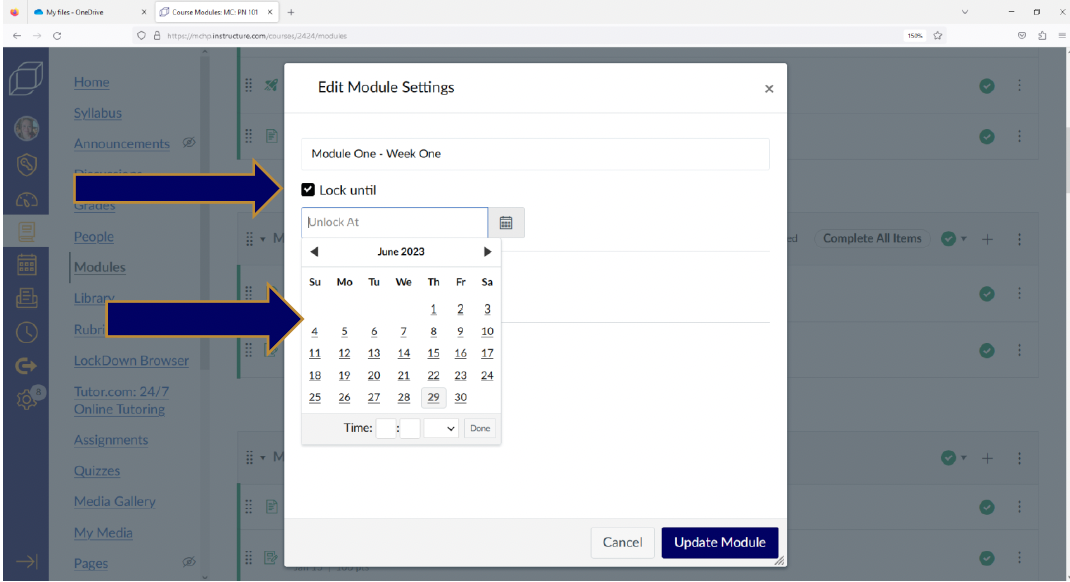
Do this for each module under the modules link. Please keep in mind if you publish the course early, each of the modules must be locked, as students CANNOT complete work within the course prior to the start of the semester, per federal financial aid law.